15 posts tagged with "Release"

View All Tags

· 4 min read
Tiven Wang

We are excited to announce that the latest version of the Xpert Analysis Platform, version 2.4, is now available! As a cloud-based agile AI data analysis platform, it integrates multidimensional modeling, indicators management, and BI visualization to provide users with a one-stop data analysis solution. This update introduces the revolutionary "Copilot Multi-Agent Command" feature, further enhancing the platform's intelligence and user experience.

AI Digital Business Experts

In Xpert Analysis Platform 2.4, we have introduced a revolutionary feature—the AI Digital Business Experts Platform. This feature aims to digitize professional knowledge and experience from various industries, allowing users to quickly access and apply these valuable resources to build their own enterprise data analysis systems. Whether you are a startup or a large enterprise, this feature enables you to quickly build a data analysis framework tailored to your business needs, improving decision-making efficiency and accuracy.

The platform not only provides users with ready-to-use digital business expert resources but also supports industry experts in digitizing and sharing their expertise with users in need. This sharing and collaboration mechanism promotes the dissemination and application of knowledge, contributing to the progress of various industries.

You can browse more information about AI Digital Business Experts on the AI Digital Business Experts page.
· 5 min read
Tiven Wang

Xpert Analysis Cloud, an agile data analysis platform based on cloud computing, integrates multidimensional modeling, metric management, and BI presentation, aiming to provide users with an efficient and convenient data analysis experience. We are pleased to announce that the latest version 2.3 of Xpert Analysis Cloud has been officially released. This update not only optimizes platform performance but also brings several exciting new features, particularly a comprehensive upgrade to Copilot Command and Roles.

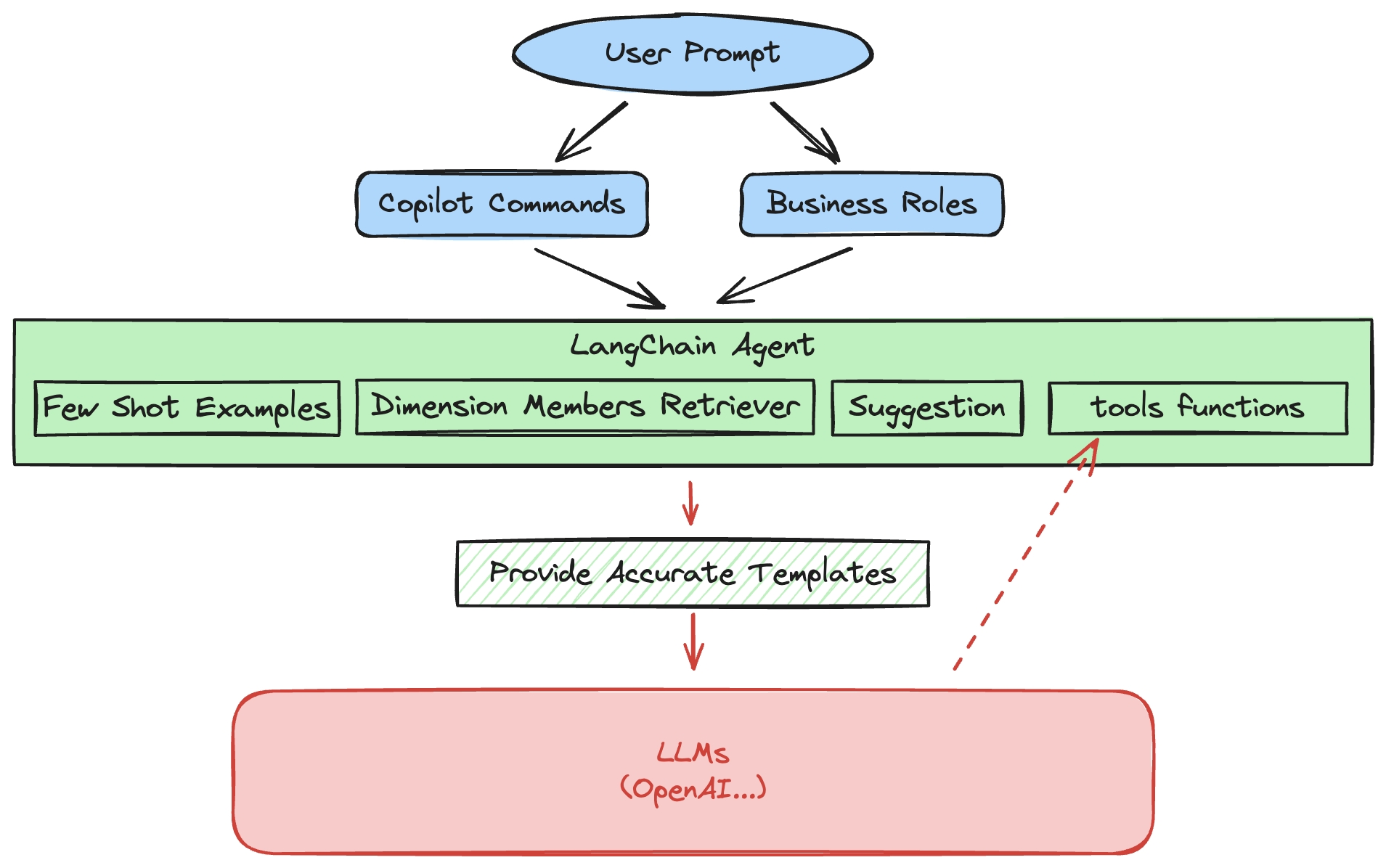
Copilot Architecture

Major Breakthroughs in Copilot

Copilot Command is an innovative way for users to execute AI functions. By entering commands along with corresponding prompts, the Copilot Agent will invoke large language models (LLMs) and run relevant functions to complete various data analysis tasks. The new version 2.3 of Xpert Analysis Cloud has made significant improvements in this feature:

· 2 min read
Tiven Wang

We have released a new version 2.2.0 with the following major updates:

1. ER Diagram for Cube Designer

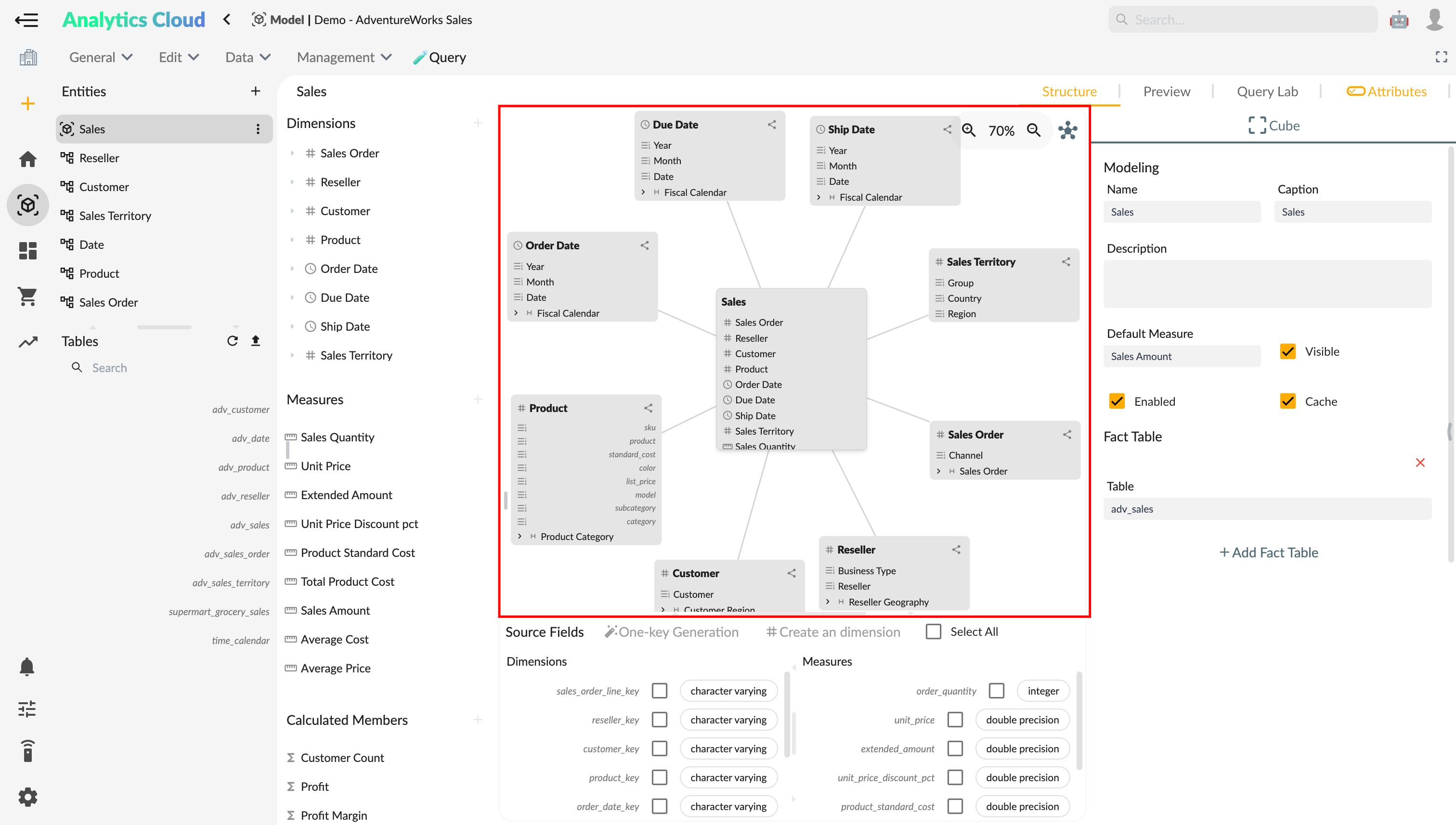
We have added the ER diagram feature to the cube designer. You can now view the data relationship model of cubes through the ER diagram, including fact tables, dimensions, measures, and relationships. This allows you to intuitively understand the data structure of cubes, facilitating data modeling and analysis.

Cube ER Diagram
ER Diagram of Cube

· 2 min read
Tiven Wang

We have released version 2.1.0, with the following major updates:

  1. Upgraded the state management framework, using @ngneat/elf, a reactive immutable state management solution.
    1. Upgraded the state management framework of the semantic model module, making semantic model operations more stable, and supporting State History and Undo/Redo functions. Refer to Shortcuts - Modeling Workspace
    2. Upgraded the state management framework of the story module, supporting State History and Undo/Redo functions. Refer to Shortcuts - Story Preferences
  2. Changed olap data request method from Http requests to Websocket requests, improving the efficiency of data concurrent queries. Refer to WebSocket Request - Server Agent
  3. The dimension designer data preview interface supports tree structure display. Refer to Tree Preview - Dimension Designer
  4. Story designer interface updates:
    1. Support for fixing Toolbar to the sidebar: Refer to Toolbar - Story Workspace
    2. Optimized Zoom in / Zoom out mode, allowing individual page zoom and pan. Refer to Shortcuts - Story Preferences
    3. When opening a story in full-screen mode, it only goes full-screen within the webpage, no longer full-screening the browser.
  5. The indicator registration page supports real-time data trend preview of indicators. Refer to Preview - Indicator Registration
  6. Dimension/Measure selector component upgrade:
    1. Support for loading entity type status and error message display.
    2. Support for customizing member tag fields as hierarchical attributes or member intrinsic attributes. Refer to Member Label - Dimension Selector
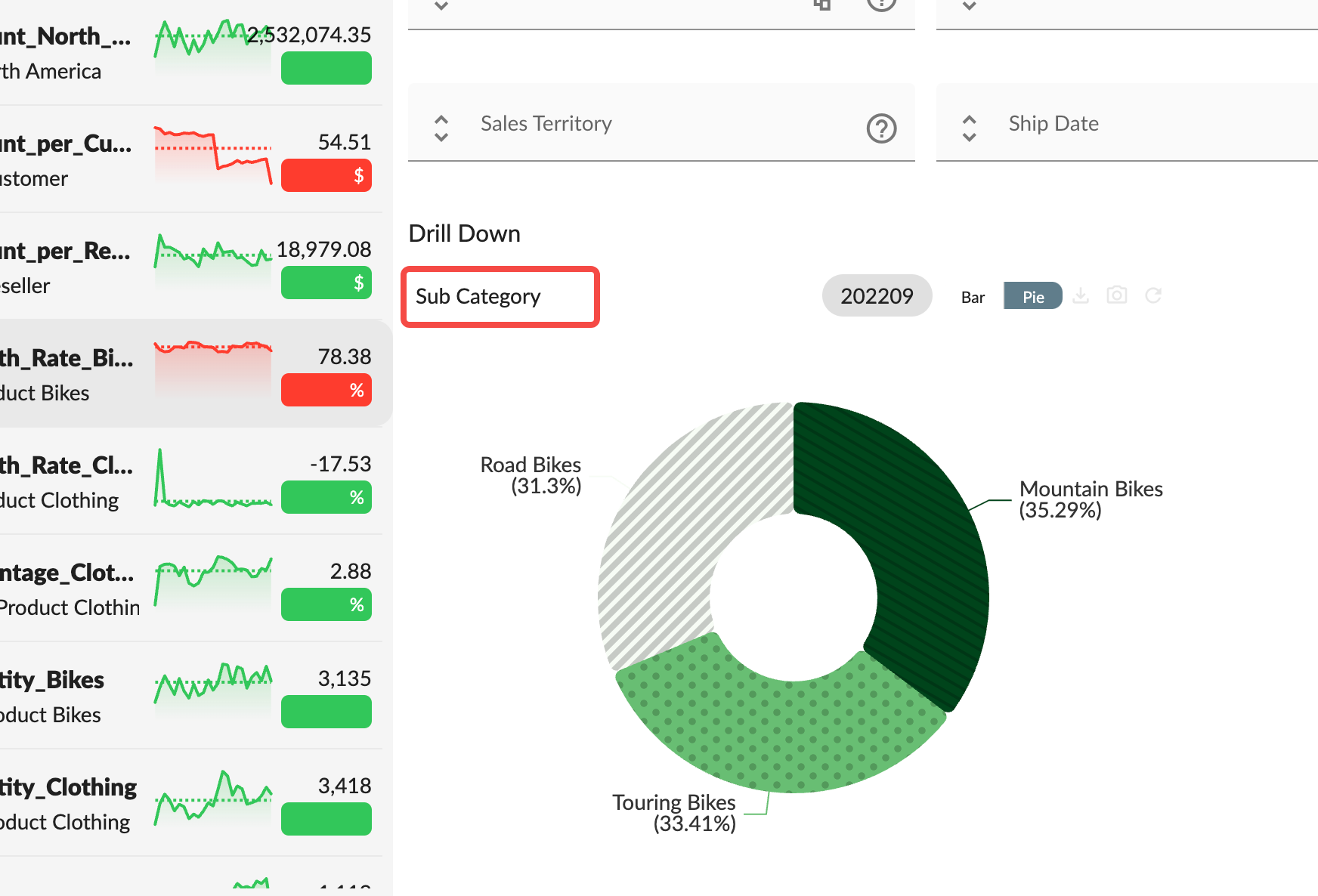
  7. In the indicator application, the drill-down chart displays the name of the current level as the title.
Drilldown Title
Drilldown Chart Title

· 3 min read
Tiven Wang

We are happy to announce Xpert Analytics Cloud 2.0.

We believe Xpert Analytics Cloud will help you analysis your big data with minimal effort, letting you focus on what really matters: indicators.

This is a new major version of Xpert Analytics Cloud, coming with new exciting features and new experiences.

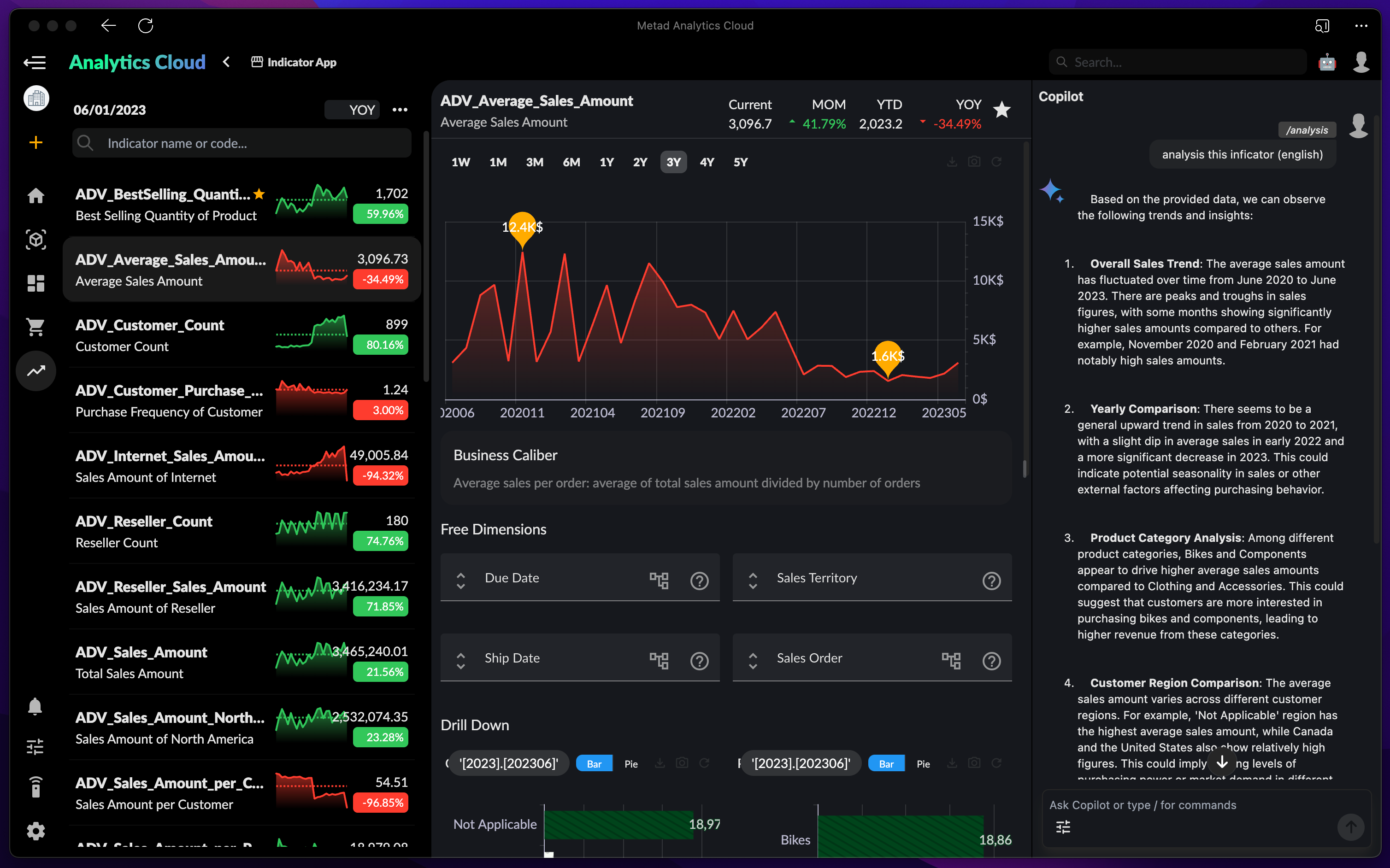
Indicator Application
Indicator Application with AI Copilot